
The Original Mario in Scratch
Original Mario
Super Mario © Nintendo
The popular mahjong in Scratch

#01 Griffpatchs Mario creation
- 64,820
- 59,899
- 2,625,791
- ©
- 2014.1.4
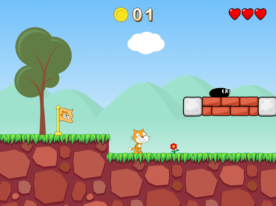
Griffpatch's Super Mario-like creation is truly impressive. All of his works are high quality, and this one is no exception.Just like in the official Super Mario games, he's already implemented wall-grabbing mechanics. I found the Scratch Cat costume that sticks to walls particularly cute.If you're interested in how it's made, check out the "Blocks" sprite especially. There's some high-performance programming there regarding how blocks are generated and removed, which is very computer-friendly. This is something I'd like to cover as a separate recipe... adding it to my personal TODO list.
#02 Coin Bomb Mario Updated
- 6,743
- 5,541
- 956,925
- ©
- 2018.5.21
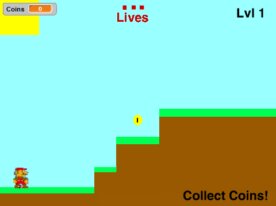
The big idea here is that coins double as ammo. Normally they're just points, but in this Scratch project you hit the down arrow and a coin turns into a bomb you can chuck at Bowser, so grabbing every coin suddenly matters a lot. Platforms are read by color: you can only jump while standing on the green stuff, purple launches you way up, and orange makes you slide straight down. Run off the right edge and the scene flips to the next of ten-plus stages, and both your lives and the boss health show up as pictures instead of plain numbers.
#03 Mario
- 797
- 762
- 847,798
- ©
- 2016.6.8
#04 Super Mario Galaxy V4 - Get stars with the little stars -
- 17,961
- 13,138
- 687,720
- ©
- 2008.5.11
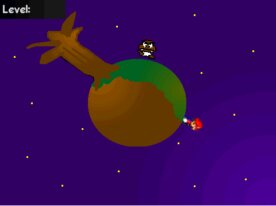

Control Mario to catch the stars and defeat the boss enemies to clear each stages. The controls are simple: just move and jump (partly with the spacebar). The stars are small like the world of the Little Prince. The stages are not that difficult, although you may feel a little uncomfortable until you get a sense of the direction of the move.I like that there were various variations of obstacles such as ice and lava, in the small star’s limited space.
#05 Mario Cube
- 15,386
- 13,299
- 649,422
- ©
- 2019.11.7
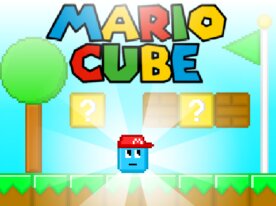
A Mario-like scrolling coin-collecting game.
A cute little cube with a Mario hat on moves forward to the goal while collecting coins.
The game is quite sensitive, and if you touch even a small obstacle, you die.
If you die, the game scrolls back and starts right away, so there is no time to give up. You just have to keep going until you reach the goal.
How to use
| Move | Arrow keys (←, →), ASWD key |
| Up arrow key (↑), Space key |
#06 Calling All Mario Fans
- 7,220
- 6,348
- 339,206
- ©
- 2019.3.18
How to play
| Action | Key |
|---|---|
| Control Mario to reach the goal. | A, arrow left RIGHT left move D, arrow right RIGHT move right W, arrow up RIGHT Jump RIGHT, mouse RIGHT game start |
| Jump | D, arrow right |
| W, arrow up |
|
| Left click of the mouse |
If you love Mario games, you should definitely give this one a try! In this game, you control Mario as he navigates through his world, collecting coins and defeating enemies while aiming for the goal. It's amazing that you can play such a game on your computer! I was able to enjoy a sense of nostalgia while progressing through the levels. Although it's a single-player game, it seems like it would be fun to take turns with others as you advance.
#07 A platformer set in Mario stages
- 3,016
- 2,770
- 329,402
- ©
- 2024.11.16
How to play
| Action | Key |
|---|---|
| Movement | LEFTRIGHT key |
| Jump | UP key |
| Crouch | DOWN key |
What's technically fascinating about this Scratch project is the character movement mechanics! It uses x and y variables to control movement. Particularly clever is how jumping isn't just a simple upward motion - it sets a value to the y variable to simulate gravity-like behavior. When touching the ground, it resets the y value, and when the jump key is pressed, it inputs a large value again. This creates natural physics behavior just like the real Mario. Plus, it generates clones during movement to create a trailing effect, making it visually polished too!
#08 Mario-style game
- 724
- 722
- 315,648
- ©
- 2022.4.1
Here’s a Mario-style game: Mario-style game 2 Mario-style game 3 All of these games are in the top 3 trends! Haha, I hijacked the Mario-style trend! Over 80,000 views now! First hit the trend 6 months ago. I was inspired by GlyphPatch! Aiming for 100k views!
#09 New Super Mario Bros. Scratch (DEMO)
- 10,940
- 8,953
- 292,835
- ©
- 2019.9.28
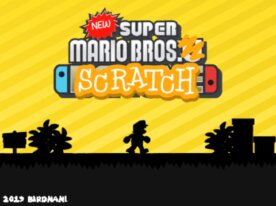
This is a very basic Super Mario Bros.
The moves are simple: move, jump, and hip drop,
but the game is made in such a way that you have to master all the moves to get the three coins and clear the game.
The author's own costumes are also very well made,
and the apples in the background make you want to take them!
It seems that only one stage has been prepared for this project, but
they are already working on the next one. I am looking forward to the next one.
How to use
| Movement | Corresponding key |
| Move | Left and Right arrow keys (←, →) |
| Jump | Up arrow key (↑) |
| Hip drop | Up arrow key (↑) followed by down arrow key (↓) |
#10 Super Mike World
- 13,052
- 12,090
- 269,061
- ©
- 2020.4.12

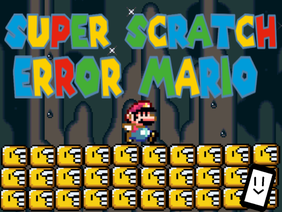
This is a super high-quality Mario collaboration game. The players can choose courses and levels (I see some consideration there). Mike, the Scratch Cat, aggressively tries to conquer a Mario-like world. The game progresses by collecting coins, which is nice, and it's wonderfully well-balanced. This would make an excellent side-scrolling game sample. The control is easy, using only the arrow keys. There is also a secret hidden stage! This is a fun one!
#12 Super Mario 64 Platformer
- 1,683
- 1,476
- 59,148
- ©
- 2024.4.8
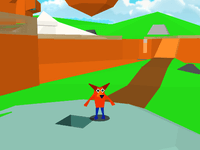
It moves very smoothly in 3D, trying to recreate the world of Mario 64 as much as possible. It's not exactly Mario, but it's just amazing what can be made with 3D in Scratch. Just give it a try. I think you'll discover a whole new world of what can be achieved by combining operations.
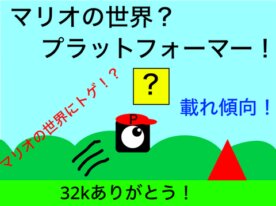
#13 Mario World? Platformer!
- 324
- 325
- 48,517
- ©
- 2022.9.20
#14 Fall Mario
- 401
- 400
- 21,089
- ©
- 2020.9.20
How to play
| Action | Key |
|---|---|
| Movement | Left and right arrow keys or tap left or right on the screen |
| Jump | Up arrow key or tap the top of the screen |
| Difficulty selection | Click Easy/Normal/Hard with mouse |
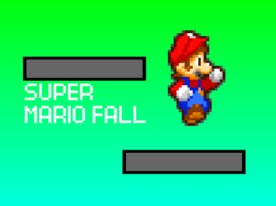
The standout feature of this Scratch game is its dynamic ground generation system that adapts based on difficulty level! Not only does the ground size gradually shrink over time, but each mode—Easy, Normal, and Hard—has different initial sizes and shrinking speeds. Plus, the probability of dangerous spiked platforms appearing varies by difficulty too.Technically, what's brilliant is the combination of probability calculations using variables and clone generation. The ground clone spawn rate is designed to gradually increase, making the game progressively harder as you play. Mario's jump power and movement speed are also fine-tuned for each difficulty level to maintain proper game balance. This is an excellent design that achieves "flow state"—a fundamental principle in game development!
#15 Super Mario Christmas
- 772
- 730
- 19,339
- ©
- 2021.12.26
How to play
| Action | Key |
|---|---|
| Left and right shifts (esp. in historical kana) | Left and right arrow keys |
| Jump | Up arrow key |
| Crouch | Down arrow key |
| Throwing Fireballs | X key (only if fireflower is present) |
| Spin jump | Spacebar during jump |
| Underwater dive | Z key during jump |
| Pound | Down arrow key while jumping |
| Double and triple jump | Up arrow key upon landing |
| Left and right shifts (esp. in historical kana) | Left and right arrow keys |
| Jump | Up arrow key |
| Crouch | Down arrow key |
| Throwing Fireballs | X key (only if fireflower is present) |
| Spin jump | Spacebar during jump |
| Underwater dive | Z key during jump |
| Pound | Down arrow key while jumping |
| Double and triple jump | Up arrow key upon landing |
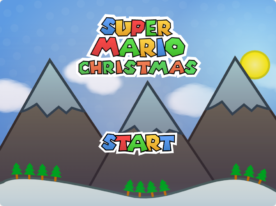
Dodge enemies, collect Star-Coins, and reach the goal in this Christmas-themed adventure! Use arrows to move, X to shoot fireballs, and Space to spin jump. Powerups help you recover health or defeat enemies.

#17 Rhythmove
- 254
- 247
- 3,349
- ©
- 2024.5.12
How to play
| Action | Key |
|---|---|
| Movement | W A S D key or arrow keys |
| Jump | space bar |
| Viewpoint Rotation | Mouse drag or arrow keys |
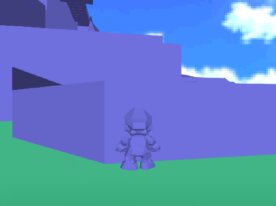
The most remarkable technical achievement in this Scratch project is the implementation of triangle rendering and depth sorting in 3D space! The "QuickSort on triDepth/depthOrder" function is particularly impressive. It sorts all triangles drawn in 3D space based on their distance from the camera.Without this depth sorting process, you'd get "Z-fighting" where distant objects render "on top of" nearby objects. This code uses the quicksort algorithm to efficiently determine the drawing order of triangles.Additionally, the "z-clip triangle and fill" function properly handles triangles that are too close to the camera, preventing 3D space distortion. Without this, nearby objects would appear warped or distorted.These techniques are actually fundamental methods used in professional 3D game engines. It's quite impressive to see such implementation achieved within Scratch's limited environment!