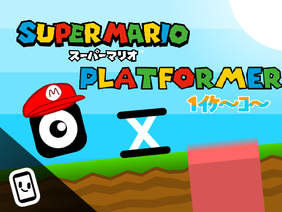
The Athletic Cube in Scratch
Athletic Cube
The popular Athletic Cube in Scratch
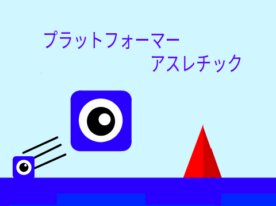
#01 Platformer! Athletic Adventure
- 1,246
- 1,196
- 373,300
- ©
- 2021.8.3


#04 Pokémon-Style Platformer
- 1,455
- 1,432
- 175,448
- ©
- 2022.11.21
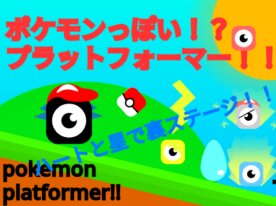
How to Play:Use WASD keys, arrow keys, or tap to move. Touch the PINK block to start a battle; stages are limited, but more scenes will appear as you progress. Avoid pressing keys or tapping when the scene changes too much to prevent bugs. For battle tips, press the "Explain" button before starting.
#05 Wall Kick Speedrun Athletic Updated
- 1,804
- 1,750
- 120,495
- ©
- 2026.8.14
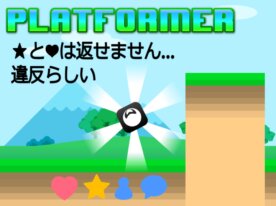
The star here is the wall kick: hug a wall, hit up, and you snap off it with a satisfying pop. Smooth slope-climbing collision and a bouncy spring pad keep the momentum going, so you rarely have to stop moving. Controls aren't keyboard-only either — hold the mouse to the left, right, or above the cube and it moves the same way, so this Scratch project plays fine on a phone. A timer runs the whole way through, and the moment you clear stage 10 your time gets thrown at a cloud-variable world record. You get 10 misses before it's over.

#07 Christmas Platformer
- 1,624
- 1,465
- 77,856
- ©
- 2023.12.17
How to play
| Action | Key |
|---|---|
| Movement | LEFTRIGHT key or tap |
| Jump | UP key or tap |
| Use of rainbow-colored costumes | Tap hearts and stars |
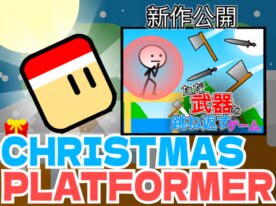
This Scratch game is a gorgeous platformer that combines multiple unique features! What's particularly fascinating is the gravity and jump mechanics. You move left and right with arrows or taps, while smooth physics calculations create fluid movement. The friction system that reduces speed by multiplying the velocity variable by 0.9 is absolutely brilliant!The jump function triggers with the up arrow or tap, using a clever continuous "touching" detection method for ground collision. This allows seamless movement even on angled terrain.Plus, it cleverly uses variables and message broadcasting for rainbow skin changes, stage management, and present delivery detection. The snow effects created with clones look absolutely stunning too!
#08 Square Mario
- 2,590
- 2,178
- 55,378
- ©
- 2020.5.7
How to play
| Action | Key |
|---|---|
| Move left | left arrow key |
| Move to the right | Right arrow key |
| Firing | space bar |
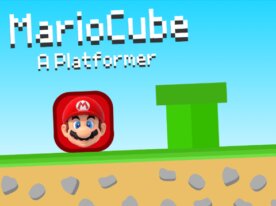
This Scratch game "MarioCube" has an incredibly cool wall-jump feature! When the player touches a wall and hits the jump button, they bounce off in the opposite direction with a satisfying kick. The mechanics work by detecting both "wall contact" and "jump key press" simultaneously, then setting the X velocity to a large value in the reverse direction. What's really slick is how they use clones to create a trail effect that makes the movement pop visually! The death system is thoughtfully designed too - if you die 5 times on a tough level, a skip button appears as a mercy feature. It keeps that Mario-esque vibe while cleverly leveraging the cube character's unique properties to create something fresh and engaging.
#09 Bouncy Slime Platformer Updated
- 2,276
- 1,848
- 51,069
- ©
- 2021.3.4
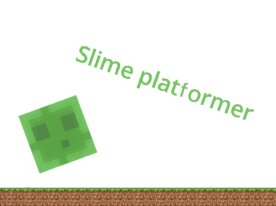
A green slime hopping through obstacle stages while that mellow Minecraft tune plays in the background. The landing check reads three different ground colors, so dirt, grass and wood all count as solid footing, which is a neat touch. The real star is the pale green bounce pad: step on it and you launch almost twice as high as a normal jump, and some stages are built so you literally can't clear them without it. Touch black or red and you snap back to the start, hit R when you're stuck, and if a stage really beats you, just click the skip sign to move on.
#10 Mario World? Platformer!
- 324
- 325
- 48,517
- ©
- 2022.9.20
#11 10-second Surprises! [Platformer]
- 426
- 416
- 17,998
- ©
- 2023.9.8
![10-second Surprises! [Platformer]](https://scratch.coach/wp-content/uploads/2024/04/890304195-276x206.jpg)
Controls: Move - Use arrow keys or tap About the Project: This platformer game changes every 10 seconds, keeping players on their toes! The fastest completion time recorded is 23 seconds.Created on: 2023/09/09 Development Time: About 3 hours Notes & Credits: This game was widely shared, thanks to supporters! Special thanks to @mikankundazo for the base code, @YY-H for ground design and background, and other contributors for sound and effects.
#12 three world platformer - a collaboration with @hiron0413!
- 635
- 579
- 16,613
- ©
- 2020.7.21

#14 Made a square athletic course with 1S1S
- 29
- 21
- 539
- ©
- 2024.4.26
How to play
| Action | Key |
|---|---|
| Movement | Arrow or WASD keys or tap |
| Jump | Up arrow key or W key or tap |
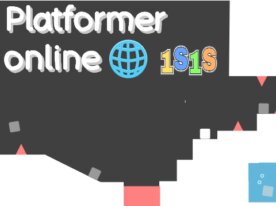
What's amazing about this Scratch project is the real-time synchronization system that lets people worldwide play together! It uses cloud variables to share each player's coordinates every second. The clever part is how it converts player states and positions into coded strings for transmission - that's how you can see other players moving around.The coordinate data gets updated regularly, and there's even a system to detect who's online. Since it processes players by number, up to 10 people can play simultaneously. Plus, there's a hidden feature where tapping around the view count eye icon displays the usernames of active players. It's incredible how they built such a sophisticated sync system into what looks like a simple game!