
The Splatoon2 in Scratch
splatoon2
Splatoon © Nintendo
The popular splatoon2 in Scratch
#01 Splatoon v.14
- 1,860
- 1,853
- 380,729
- ©
- 2016.7.5
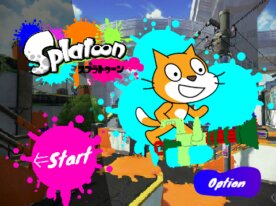
Controls
- Arrow keys: Rotate (left/right) and Move (up/down)
- Space: Shoot ink (or hold to charge for Spinner)
- Z: Throw bomb (hold to adjust distance)
- C: Switch between Squid and Human modes
- X: Activate Tornado (pointer appears; aim and click to launch)
Updates
- V.2+ added various fixes, weapons, and modes, including Cheat Mode and Gachi Match
- V.14 introduced the long-awaited Charger weapon
Special Note
The game will pause updates temporarily but may resume in the future.
#02 Enjoy Various Game Modes and Master Different Weapons
- 426
- 440
- 38,223
- ©
- 2018.5.14
In addition to regular matches, you can enjoy Ranked Battle modes like Splat Zones, Tower Control, and Clam Blitz! There are a variety of weapons, each with its own unique special, making it perfect for those who want to master different weapons. Chargers are also available. Here's how to change weapons: Click the blue "Option" button on the main screen. Click the change button next to the orange frame labeled "Shooter." Click on the weapon to cycle through them. Once you've chosen, click the return button in the bottom left corner. Weapons (Special name in parentheses): Shooter (Bomb Rush) Spinner (Super Shot) Roller (Megaphone Laser) Flingza (Barrier) Blaster (Megaphone Laser) Charger (Bomb Rush) Octobrush (Tornado) Dualie (Super Shot) Brella (Tornado) Squeezer (Barrier) Controls: Move: Up/Down arrow keys Change direction: Left/Right arrow keys Shoot ink: Spacebar Launch bomb: Z key Use special: X key Switch between squid/human mode: C key Throw clams: V key
#03 Easy to control Splatoon game
- 87
- 74
- 19,060
- ©
- 2021.3.18
The controls are pretty good, as you can move up, down, left and right with WASD keys and aim with the mouse. All specials are hyper pressers. Weapons Splatter Shot Splat Roller Splat Charger / Classic Squiffer Splat Dualies Heavy Splatling Move with the WASD keys, aim with the mouse, and click to fire. To slide when using the dualies, press the A or D key while holding down the mouse click and Z key.