
Scratch On
There is a lot of information within Scratch itself about how to create games. There are some skilled users who explain how to make Scratch games using Scratch. Here, I will introduce projects that summarize how to create games in Scratch.
By the way, if you want to learn how to create a Mario-like game in Scratch, there’s a featured lesson on that, so feel free to check it out.
How to Create Mario in Scratch
#01 How to Make an Online Game!
- 1,821
- 1,810
- 24,898
- ©
- 2021.9.4
Summary of the author's notes
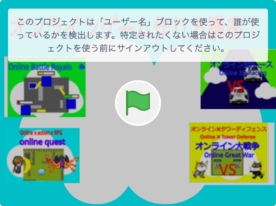
How to Make an Online Game! This video shows you how to create an online game. It includes game assets you can borrow using the backpack feature. Remember to give credit when borrowing assets like Material1 to Material4. Delete the top program in Material1, replace all variables with a cloud symbol with cloud variables, and manually copy lists as they can't be copied with the backpack. By copying the programs and sprites, you can make it a game for up to 10 players. Just remember, new Scratch users can't create online games.
#02 Thumbnail Tutorial for Beginners: No Coding Needed
- 1,142
- 1,129
- 13,362
- ©
- 2020.9.22
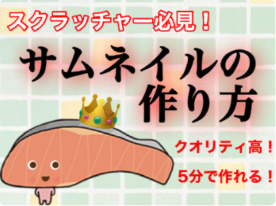
Hey everyone, check out this amazing thumbnail creation tutorial! It's beginner-friendly, so you don't need any programming skills. The creator says that using this method will give your thumbnails high quality. The tutorial is split into four parts. It starts with how to install the app. Then, there are two sections on how to use the app, and it wraps up with finalizing your thumbnail settings. Fun fact: the salmon character speaking in the tutorial is yonepoko's original character! It might remind you of Sanrio's "KIRIMI-chan.", but it's not a complete rip-off. If you create a thumbnail based on this tutorial, remember to give credit and a thank-you note to the author! Drop your questions or feedback in the comments. Try out this easy method to make cool thumbnails!
#03 **5 Cool Scratch Tricks You Should Know**
- 457
- 455
- 11,648
- ©
- 2023.9.25
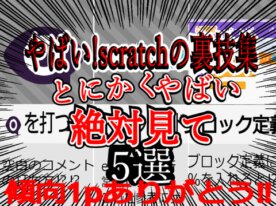
This project introduces five amazing tricks for Scratch users. Created for those who might not know these hidden features—if you know them all, you're a Scratch pro! Feel free to explore and learn from these tips to improve your projects. Please note, some program features come from other creators, like @t8decode. Check out the credits if you're curious about specific elements. Enjoy exploring and learning!
#04 Clone-Recycling Side-Scroll Comparison Template Updated
- 1,397
- 1,387
- 10,558
- ©
- 2024.6.3
This one lets you glide sideways across one super long picture, and that's the whole magic. The picture is cut into costumes lined up side by side, and any clone that slides off screen gets recycled to the other end, so even a huge image only ever needs a dozen or so clones. You just hand it the width of one slice and where you want the view to start, then swap in your own art and it's instantly yours. It even peeks at the last costume for a split second to count how many there are, so you never have to configure that yourself. Sneaky clean design.
#05 Creating a Save Function for RPGs from Scratch
- 656
- 653
- 9,725
- ©
- 2021.9.17
This guide explains how to create a save function for those who want to develop their own RPG from scratch. We will focus on creating a save function using hiragana characters to represent a revival spell. Assign custom hiragana characters to each level, HP, MP, and item. Instead of a simple correspondence like mapping 1, 2, 3, 4, 5 to 'a', 'i', 'u', 'e', 'o', it is necessary to assign the characters randomly to avoid making it easy to guess and exploit the system. It goes without saying that after listening to this explanation, it is crucial to actually start working on the program and try creating it yourself.

#07 How to make a simple bullet hell game!
- 316
- 309
- 6,205
- ©
- 2020.8.11

I made this project for those who want to learn how to make a bullet hell game. If you're interested, feel free to try it! If you have questions, leave a comment. Also, don’t forget to credit me if you use this program! I made the music with GarageBand.
#09 If you want to create flexible athletics that can navigate tight spaces with some effort, this is it.
- 25
- 21
- 274
- ©
- 2024.9.29
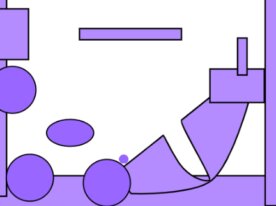
How to play
| Action | Key |
|---|---|
| Movement | LEFTRIGHT key |
| Jump | UP key |
The biggest unique feature of this Scratch project is the physics calculation system between the player and platforms! The "physics" function has a particularly interesting implementation. Looking at the code, the handling when the player touches the ground is quite meticulously crafted - it uses the "point to" function to calculate the contact angle, and if that angle is 55 degrees or less, it registers as a landing. What's even more impressive is how it repeatedly processes until the player separates from the ground after contact, precisely adjusting both horizontal and vertical velocities! By performing physics checks at multiple points, it achieves that soft, fluffy "SOFT" movement. The control method for the "speedy" and "speedx" variables is particularly exquisite, creating the gentle操作感 that lives up to the program's name.