
OS
An operating system (OS) is the system that controls various apps. To explain it, you might think of a computer’s OS as the “conductor of an orchestra.”
In an orchestra, many instruments play together. Violins, trumpets, pianos, and each instrument has its own role, producing different sounds. However, if all the instruments played separately, it wouldn’t form music, right? This is where the conductor is important. The conductor controls the performance so that all the instruments harmonize and create beautiful music.
A computer’s OS works similarly. A computer has many “instruments,” like programs, apps, and data. The OS manages all of them, making sure everything runs efficiently, much like the conductor. For example, it makes sure programs have access to the necessary data, or it translates the user’s commands (like clicks or taps) to the program.
In this way, the OS conducts everything inside the computer to run smoothly, supporting us so we can use the computer comfortably.
#01 Blue OS
- 5,477
- 5,032
- 67,645
- ©
- 2020.4.11
#02 Tec OS 3
- 5,057
- 4,273
- 52,029
- ©
- 2019.6.13

#04 Recreating the Battle with Larry, One of the Koopa Kids
- 5,494
- 4,812
- 104,120
- ©
- 2020.1.27
How to play
| Action | Key |
|---|---|
| Check the clock | Click on the clock icon in the lower left corner |
| Wi-Fi Settings | Click on the Wi-Fi icon in the lower left corner |
| Volume setting | Click on the volume icon in the lower left corner |
| Camera activation | Click on the camera icon on the left |
| Launching the settings menu | Click on the settings icon on the left |
| Launching the Scratch application | Click on the Scratch icon on the left |
| Launching the music application | Click on the music icon on the left |
| Launch the Paint application | Click on the Paint icon on the left |
| Drawing with the Paint application | Move the mouse while holding it down. |
| Exit the application | Click on the X button in the upper right corner |
| Change Wallpaper | Click on the Wallpaper option in the Settings app |
The biggest standout feature of this Scratch project is how it recreates the feel of an actual OS. What's particularly noteworthy is the app display and switching mechanism. It uses a message broadcasting system to control each app's launch and termination - when it receives a "close app" message, it smoothly returns to the previous screen.The camera app actually turns on the camera using video sensing blocks, and the paint app lets you draw using pen functions. It even creates fade-in and fade-out effects by gradually changing the Ghost effect, which really sells that authentic OS vibe!


#08 Minecraft Hill Climb Racing
- 2,240
- 1,893
- 48,786
- ©
- 2020.12.25
How to play
| Action | Key |
|---|---|
| Click on a stage | mouse |
The coolest thing about this Scratch project is its OS detection technique using emoji display differences! Each OS and device renders the same emoji slightly differently. By checking the color of specific pixels, it can identify the operating system. When the scanner sprite touches certain positions on the "Detect" costume, it detects the color - green means "iOS/MacOS," reddish tones indicate "Android," and so on. By combining multiple color detection conditions, it's cleverly designed to distinguish even between Windows 7/8/10/11 and Chrome OS!


#11 Online Dino Battles!
- 2,010
- 1,656
- 37,984
- ©
- 2016.8.17
How to play
| Action | Key |
|---|---|
| Home Screen Move | Click on the home icon (round square) |
| Setup | Click on the settings icon |
| Camera activation | Click on the camera icon |
| Potato Clicker Activation | Click on the potato icon |
| Player Operation (PON) | Move left and right with mouse |
| Launch weather app | Click on the weather icon |
| Music play/stop | Click the Play/Pause button |
| Search for | Click on the search icon |
| Assistant Activation | Click on the microphone icon |
| Questions for the Assistant | Enter text and submit |
| System termination | Click the power button (lower right) |
| Return | Click the Back button |
What's fascinating is this OS's vector text system! The project uses custom functions like "Animate Text" and "Render Text" to generate each character as individual clones. You can finely control each character's size, ghost effects, and positioning, plus it automatically handles line breaks when text reaches the screen edge. Technically, it's achieved by combining functions like "Calculate Spacing!" for character spacing calculations and "Check Length" for text length checking, and it really shines in features like the potato clicker and assistant functionality. Looking at the scripts, you can clearly see how each character is generated as a clone with individual effects applied. This enables truly interactive text display!


#14 Chrome Dino Game (Backflip Jump)
- 1,502
- 1,284
- 26,543
- ©
- 2023.4.1
How to play
| Action | Key |
|---|---|
| Open desktop apps | mouse click |
| Exit the camera application | Click on the camera off icon |
| Calculator Operation | Click on numeric input and operation symbols |
| Running a virus scan | Click the Scan button |
| Virus removal | Click the Clear button |
| Text translation | Click on the translation application and select your language |
| Enter URL in browser | Click on the URL bar and type |
| Zoom meeting start/end | Click on the zoom icon |
| Configuration Change | Click on the settings icon to select an item |
| Close Browser | Click the Close button |
| Music play/stop | Click the Play/Stop button on the music player |
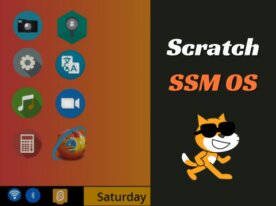
This Scratch project recreates a full-fledged operating system just like Windows! What's particularly impressive is how it leverages broadcast messaging for seamless screen transitions. When you click on "apps" like the camera, browser, or calculator, startup messages get fired off to the relevant sprites, triggering smooth display changes. The clever chain reactions of messages hide and show sprites at just the right moments, creating that authentic OS feel. The variable management is spot-on too - it properly stores things like usernames and browser URLs. The coordination between backdrops and sprites really makes you feel like you're operating a real computer!


#22 Oryx OS Updated
- 2,127
- 1,890
- 17,630
- ©
- 2022.1.19
From the startup chime to the lock screen to the wallpaper drifting with your mouse, this Scratch project nails the feel of a real OS. The clever bit is how windows work: each app keeps its position in variables and glues its close and minimize buttons on as clones, so grabbing the title bar drags the whole thing along, and stacking order gets sorted out by messages. Dark mode builds its look name on the fly so every window flips at once, and tapping C on the home screen pops a right-click menu right where your cursor is. Weather, music, photos, even a performance monitor — you'll lose an hour just poking around.


スクラッチ OS関連のおすすめスクラッチ・ストック
個人的にプレイしてみたいスクラッチのストック(候補)だよ。


![maDU59_'s OS [V1.1]](https://cdn2.scratch.mit.edu/get_image/project/427784196_282x218.png)


![[PLATFORMER] 300 Followers OS MAP](https://cdn2.scratch.mit.edu/get_image/project/252996142_282x218.png)

